How to reduce your AWS RDS bill by 70% with no technical effort
If you manage infrastructure on AWS, you've probably noticed one line that keeps climbing on your monthly bill: Amazon RDS (Relational Database Service).
For startups and SMBs, databases are often the second biggest cost after EC2 instances. Yet a large share of that money is literally thrown out the window.
Why? Because your Development (Dev), Staging and Test environments run 24/7, while your teams (usually) only work 40 hours a week.
The scary math of Cloud waste
Let's do simple math. A week has 168 hours. Your developers work about 40 hours.
That means for 128 hours per week, your servers are running for nothing. They consume CPU, RAM and IOPS for absolutely nobody.
The bottom line: 76% of your non-production RDS bill is waste.
3 ways to stop that waste
To fix this, DevOps teams traditionally have three approaches. Here's why most fail in the long run.
1. The manual way (The inevitable oversight)
You ask developers to shut down their database when leaving on Friday night.
The problem: Humans are fallible. A rushed Friday, one slip, and the database runs all weekend. Plus, on Monday morning you wait 10–15 minutes for the database to restart (cold start), frustrating the whole team.
2. The "home-made" script (Technical debt)
A motivated engineer writes an AWS Lambda function in Python wired to EventBridge to shut down instances.
The problem: It's "invisible technical debt". Who maintains that script when the engineer leaves? What if the AWS API changes? How do you handle exceptions (holidays, late-night sprints)? Often, these scripts end up breaking silently. See the full comparison: 4 ways to automatically stop RDS instances.
3. The automated SaaS way (The FinOps solution)
That's where SnoozeDBcomes in. Instead of reinventing the wheel, you use a dedicated platform that acts like a "smart switch".
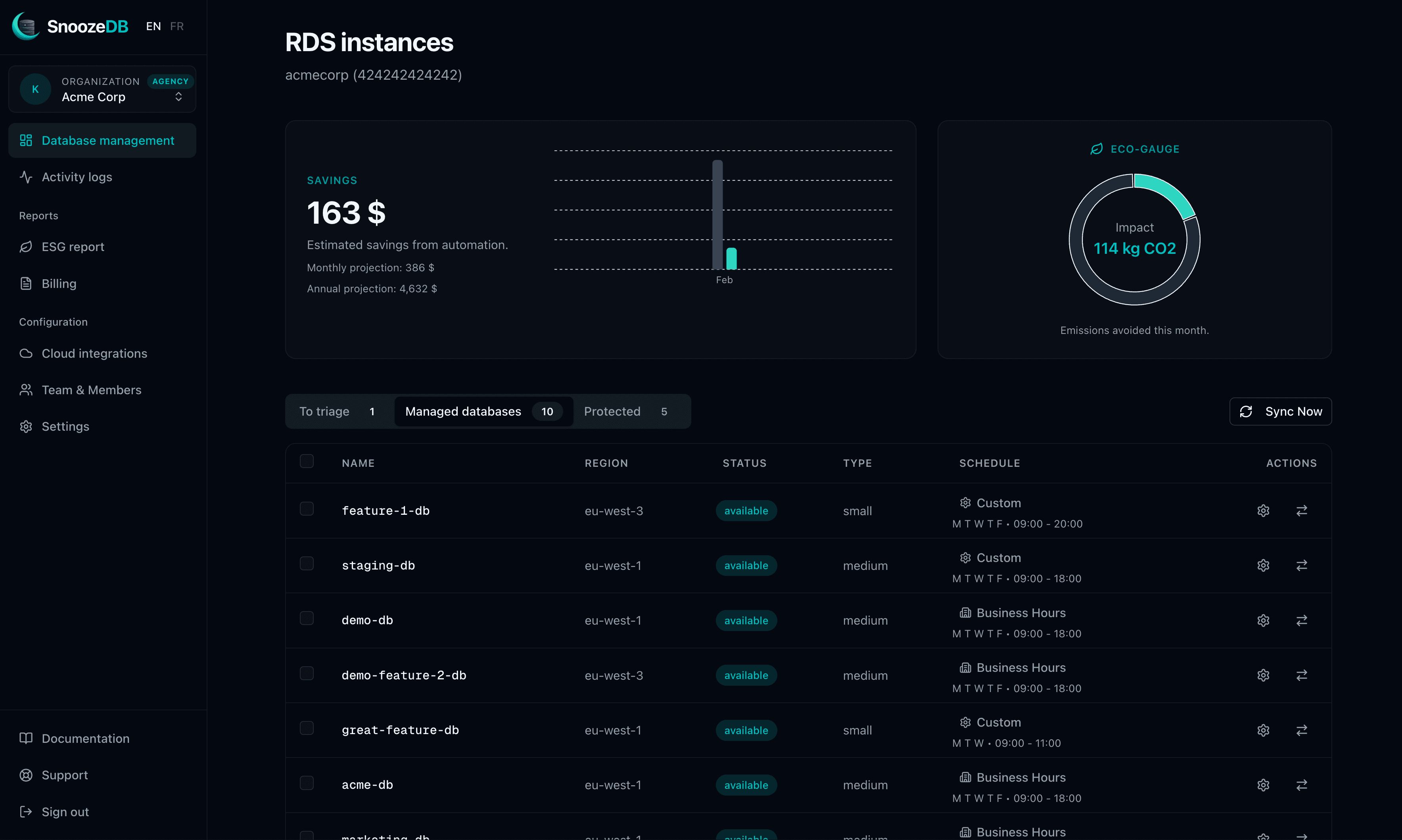
Why choose SnoozeDB for your FinOps strategy?
We built SnoozeDB with a simple philosophy: savings must not come at the expense of security or productivity.
Maximum security (No access keys)
Unlike basic scripts, we will never ask for your "root" or admin access keys. SnoozeDB uses the AWS security standard: Cross-Account IAM Roles.
- You deploy an auditable CloudFormation template.
- We only have permission to Stop and Start specific instances.
- We cannot read your data or delete your databases.
Flexibility for technical teams
Need your teams to work late on a Tuesday? No problem. SnoozeDB lets you set custom schedules per instance or apply a "Business Hours" model (Mon–Fri, 8am–8pm) in one click.
Immediate ROI (Return on investment)
SnoozeDB's cost is designed to be offset from the first days of use.
Concrete example: A db.m5.large instance costs about $138/month (on-demand us-east-1). By shutting it down at night and on weekends, you save about $85/month per instance. With our Starter plan at $29/month (including 5 small or medium databases), you're profitable from the first connected database.
Besides, this financial saving is also an environmental one (see our GreenOps solution).
FAQ: Frequently asked questions about RDS optimization
Does it work for Production databases?
Technically yes, but we strongly advise against it. Production must guarantee 99.9%+ availability. SnoozeDB automatically detects your critical instances (Multi-AZ, "prod" names) to warn you and avoid accidents.
What if AWS automatically restarts my database?
This is known AWS behavior: a stopped database is automatically restarted after 7 days for maintenance. SnoozeDB's engine monitors this and automatically stops the database again if it shouldn't be running, protecting your bill even during holidays.
How long does setup take?
Under 5 minutes. Just connect your AWS account, select your development databases, and apply the default schedule.
Further reading
- Compare AWS RDS cost optimization tools
- Compare AWS instance scheduling tools
- Reduce AWS staging environment costs
Ready to stop paying for nothing?
Don't let Cloud bills eat into your margin. Join the CTOs and Lead Devs who have taken back control of their AWS budget.
14-day free trial.